Screen Time into Score Gains: Commuting and Cramming with Mobile Test Prep Tools
Studying for a career-defining standardized test used to mean buying a text-heavy, 800-page review manual that doubled as a doorstop. You sat at a desk for hours, flipping through paper appendices and manually tracking your error logs. Today, mobile application ecosystems promise to transform those dead minutes spent standing in line or riding the subway into high-yield study sessions. Armed with adaptive algorithms and cloud-synced question banks, your smartphone can serve as a personal, metrics-driven tutor.
However, the reality of the app stores often fails to meet this promise. For every genuinely transformative test prep tool, there are a dozen hastily packaged wrappers full of typos, outdated question formats, and predatory subscription tiers that offer little more than basic public-domain flashcards. When testing tools for this review, specific real-world metrics were prioritized: data-driven personalization that adapts to your weak spots, meticulous question quality that mirrors the actual exam's trickery, cross-device synchronization, and transparent pricing structures.
After months of logging mock hours on everything from vocabulary drills to complex data sufficiency puzzles, these specialized mobile tools proved they can effectively replace or heavily augment traditional study frameworks.
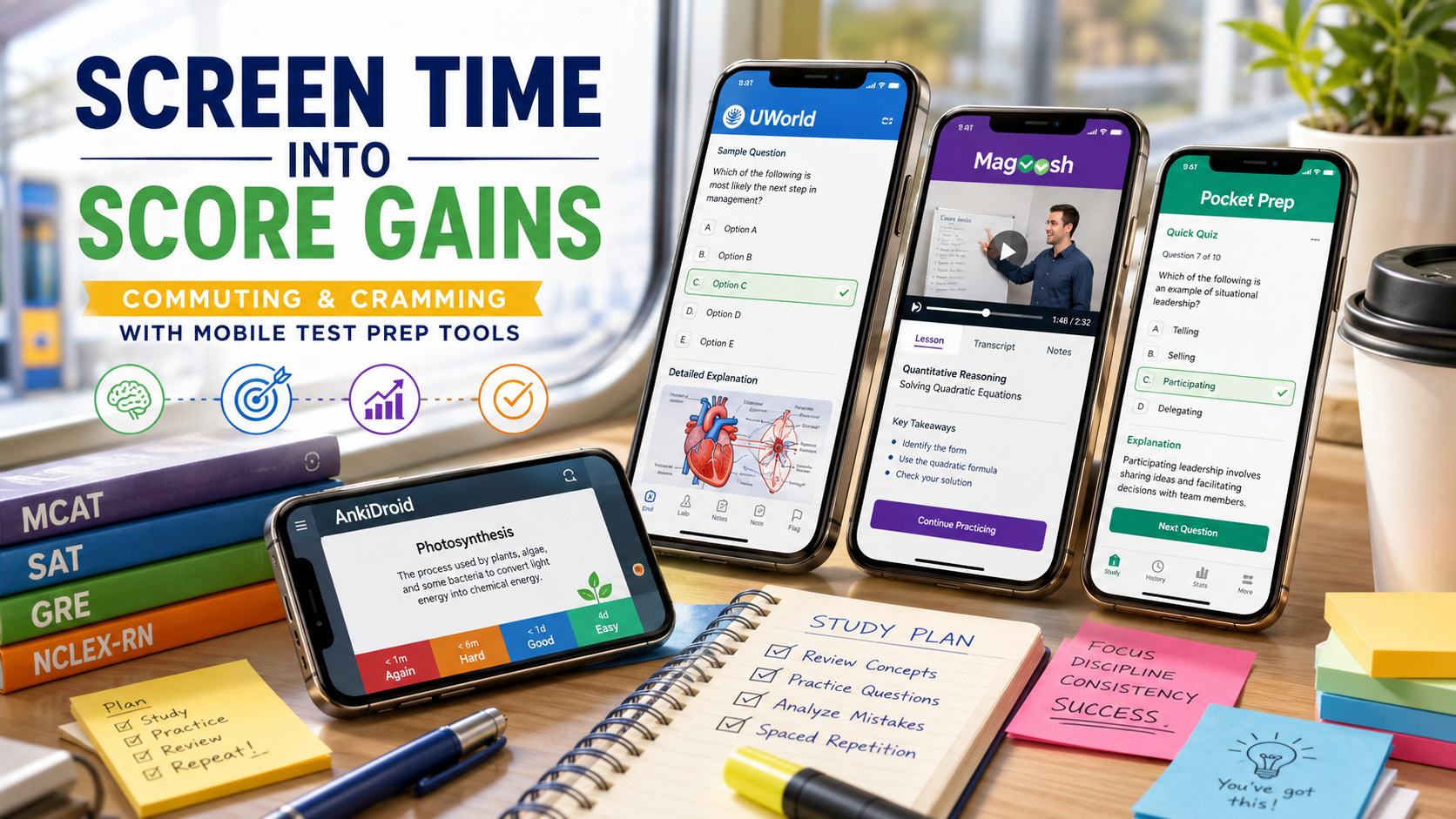
UWorld Mobile App Ecosystem
OS Availability: iOS, Android
In the world of high-stakes professional and academic testing—spanning the MCAT, USMLE, Bar Exam, SAT, and ACT—UWorld is treated with a sort of reverent dread. It has earned a reputation for being intentionally harder than the actual tests it prepares you for.
The Reality Check
The standout, uncompromised feature of the UWorld app is the sheer caliber of its explanations. When testing a sequence of advanced data sufficiency and clinical reasoning questions on a mobile interface, the software does not just tell you that choice "C" is correct. It provides a detailed, illustrated breakdown of exactly why the other four options are structurally flawed distractors. The mobile app translates this heavy desktop workload into a highly functional smartphone layout, allowing you to generate custom 10-question "mini-blocks" on your phone during a lunch break and cleanly view detailed medical charts, legal rationales, or math proofs without having to pinch-to-zoom constantly.
Pros
Unrivaled Question Fidelity: The questions mirror the exact style, tone, and cognitive traps of the actual standardized test makers.
Masterclass Explanations: Every single answer choice is comprehensively analyzed with high-resolution diagrams and clinical/logical justifications.
Flawless Device Syncing: Start a practice block on a desktop computer at home, pause it, and resume the exact same question on your phone while on the go.
Cons
Eye-Watering Pricing: There are no cheap tiers here; access to a single exam's QBank routinely costs hundreds of dollars depending on the subscription length.
No Offline Question Access: The app requires an active internet connection to submit answers and fetch data, which rules out deep underground subway study sessions.
Ego-Bruising Difficulty: The deliberately high complexity can easily demoralize users who are early in their study timeline.
Magoosh Test Prep Suite
OS Availability: iOS, Android
If UWorld acts as an intensive, hyper-realistic gauntlet, Magoosh positions itself as an accessible, media-rich tutor. Offering dedicated individual applications for the GRE, GMAT, SAT, ACT, and IELTS, Magoosh aims to make test strategies understandable through bite-sized video architecture.
The Reality Check
The core feature that genuinely works on the mobile app is the video-on-demand explanation loop. When you get a question wrong on the Magoosh interface, you are instantly prompted with a 1-to-3 minute video lesson led by an expert tutor breaking down that exact concept or shortcut. When testing the GRE and GMAT iterations, watching these video segments at 1.5x speed while waiting at a coffee shop proved incredibly intuitive. The app also cleanly integrates a modular progress tracker that guides you through specific concept thresholds rather than throwing you into an unmanaged ocean of questions.
Pros
Videocentric Pedagogy: Ideal for auditory and visual learners who struggle to absorb complex mathematical properties from flat text.
Generous Score Guarantees: Most premium packages back their software with specific point-increase guarantees or your money back.
Offline Functionality: Unlike many premium rivals, Magoosh allows you to download video lessons and text questions ahead of time for offline use.
Cons
Interface Fragmentation: Instead of a single unified portal, Magoosh separates its offerings into distinct apps per exam, requiring multiple downloads if you are balancing different tests.
Slightly Shallow Interface Controls: The mobile video player lacks fine-grained scrubbing tools, making it annoying to jump back exactly five seconds to re-hear a specific phrase.
Pocket Prep (Professional Pocket Prep)
OS Availability: iOS, Android
For candidates tackling specialized professional certifications—such as nursing exams (NCLEX), human resources (PHR), project management (PMP), or emergency medical services (NREMT)—Pocket Prep provides a masterclass in micro-studying.
The Reality Check
The "Question of the Day" system and the "Quick Quiz" generator are perfectly optimized for mobile constraints. While sitting in a waiting room, you can open the app and instantly deploy a 10-question sprint tailored specifically to the subject domains you have previously failed. When testing their behavioral and data analysis categories, the app’s clean, lightweight animations minimized friction. It strips away video fluff and focuses entirely on rapid-fire active recall, using an elegant statistics dashboard to highlight your precise weak areas across different cognitive domains.
Pros
Built and Optimized for Mobile: The layout is designed specifically for quick, one-handed phone use rather than feeling like a shrunk-down desktop website.
Extensive Certification Support: Houses study materials for over 100 highly specific professional standard exams under one corporate banner.
Accessible Entry Pricing: Offers a genuinely usable free tier alongside reasonable, transparent monthly premium subscription paths.
Cons
Text-Only Constraints: Explanations are highly concise and direct, lacking the exhaustive diagrams, deep conceptual essays, or videos found in larger ecosystems.
Varying Question Quality: Because they cover dozens of distinct exams, the question style for smaller, obscure certifications can occasionally feel a bit generic compared to the official board exam text.
AnkiMobile / AnkiDroid
OS Availability: iOS (AnkiMobile, Paid), Android (AnkiDroid, Free/Open Source)
Standardized tests aren't just about logic; they are massive battles of raw information retention, requiring you to memorize thousands of vocabulary words, chemical structures, legal statutes, or mathematical formulas. Anki remains the undisputed, open-source sovereign of long-term factual memorization.
The Reality Check
Anki runs on a powerful Spaced Repetition System (SRS) algorithm. Instead of reviewing flashcards in a predictable, linear stack, the app tracks how hard a specific card was for you. When testing a massive 1,200-word vocabulary deck, marking a card as "Easy" causes the app to hide it for five days, while marking a card as "Hard" forces it back into the rotation in a matter of minutes. The core feature that works flawlessly is this hyper-efficient scheduling mechanism, ensuring you waste zero time reviewing concepts you already know while aggressively hammering your blind spots.
Pros
Incredibly Powerful SRS Algorithm: Scientifically proven to maximize long-term memory retention with minimal daily time investment.
Massive Community Ecosystem: Users can instantly import massive, meticulously curated, pre-made study decks for almost every major standardized exam on earth for free.
Infinite Customization: Allows you to embed audio snippets, custom images, and complex mathematical formulas directly onto the digital cards.
Cons
Hostile User Interface: The visual design looks distinctly utilitarian, and navigating the deck-building menus features a notoriously brutal learning curve.
High Administrative Overhead: You have to manually manage your deck syncs and troubleshoot formatting, which can frustrate users who just want a plug-and-play app.
Asymmetrical iOS Pricing: While the desktop application and Android versions are free, the official iOS app requires a one-time purchase of $24.99 to support the creator's server hosting costs.
The Final Verdict
Your ideal mobile test prep companion depends heavily on the stakes of your exam and your preferred learning modality:
For those preparing for high-stakes professional, graduate, or medical boards where conceptual nuances are brutal, UWorld is the gold standard. Its premium pricing is thoroughly justified by the unparalleled depth of its questions and analytical explanations.
If you find yourself struggling to stay disciplined during long reading sessions and want an expert to visually explain concepts on the go, the video-heavy approach of Magoosh provides the softest landing spot.
Finally, for the independent self-starter who needs to memorize thousands of discrete facts, equations, or terminology structures without spending a dime on content, syncing a community-vetted deck to Anki remains the most powerful cognitive hack available to modern students.