Home Renovation Budget Nightmare? 5 Apps That Keep Your Project on Track in 2026
Home renovation always starts with excitement. A new kitchen, a brighter living room, maybe finally fixing that bathroom you’ve been ignoring for years. But somewhere between demolition day and the final coat of paint, reality usually hits: costs start creeping up, receipts pile up, and your “rough estimate” budget begins to feel like wishful thinking.
The truth is simple—renovations rarely go over budget because of one big mistake. It’s the small things: untracked receipts, underestimated labor, and dozens of “we might as well upgrade this too” decisions.
In 2026, you don’t need spreadsheets or sticky notes to stay in control. A new generation of budgeting apps is designed specifically to help homeowners track renovation spending in real time, categorize expenses by room, and even forecast cash flow before things get out of hand.
We tested the most reliable and widely available tools on iOS and Android to find the ones that actually help—not just track numbers, but prevent financial surprises. Here are the five best apps for managing your renovation budget.
1. YNAB (You Need A Budget)(iOS/Android)
Pricing: Subscription (~$14.99/month or ~$99/year)
YNAB is still the most disciplined budgeting system available, and that’s exactly why it works so well for renovations.
At its core, YNAB uses a zero-based budgeting system, where every dollar is assigned a job. For a renovation, this becomes incredibly powerful. Instead of one vague “renovation budget,” you create precise categories like “Kitchen Cabinets,” “Electrical Work,” “Flooring,” and “Unexpected Costs.”
In testing, this structure made a noticeable difference: once spending was tied to specific categories, overspending became much harder to justify. You don’t just “spend from the renovation fund”—you spend from a clearly defined bucket.
Pros:
Extremely effective for preventing budget drift
Great for detailed category-based tracking
Excellent syncing with bank accounts and credit cards
Encourages disciplined spending habits
Cons:
Learning curve can feel steep at first
Requires ongoing manual attention to stay accurate
2. HomeZada(iOS/Android)
Pricing: Free basic tier, paid plans available
HomeZada is one of the most renovation-focused platforms on the market, and it shows. Unlike general budgeting apps, it’s built specifically for homeownership management, including projects, maintenance, and financial tracking.

Its standout feature is the project-based cost tracking system, which lets you break your renovation into rooms or phases. You can assign budgets to each area and compare estimated vs. actual spending in real time.
During testing, the ability to link expenses directly to specific home improvement projects made it much easier to see where money was being over-allocated—especially in multi-room renovations happening simultaneously.
Pros:
Purpose-built for home improvement and renovation tracking
Room-by-room budget visibility
Includes home inventory and long-term maintenance features
Useful for insurance and resale documentation
Cons:
Interface feels more functional than modern
Some features are better suited for long-term homeowners than short projects
3. Monarch Money(iOS/Android)
Pricing: Subscription (~$14.99/month or ~$99/year)
Monarch Money is the best option for couples or households managing renovations together.
Its strength lies in shared financial visibility and forecasting tools. You can connect all accounts, track renovation spending alongside everyday expenses, and collaborate in real time with a partner.
In testing, one of the most useful features was its forward-looking cash flow view. It doesn’t just show what you’ve spent—it helps you understand how renovation decisions affect your future savings timeline.
Pros:
Excellent for shared household financial planning
Clean, modern interface
Strong forecasting and goal tracking tools
Collaborative features reduce miscommunication
Cons:
Paid-only model
Slightly overpowered if you only need simple tracking
4. Expensify(iOS/Android)
Pricing: Free basic use, paid tiers for advanced features
Expensify isn’t specifically a renovation app, but it excels in one area that matters most during remodeling: receipt management.
Renovations generate a surprising amount of small purchases—hardware runs, tools, materials, delivery fees—and it’s easy for those to get lost. Expensify solves this with its SmartScan receipt system, which automatically extracts data from photos and categorizes expenses.
During testing, it performed particularly well for contractors and DIY users who needed to keep clean records for reimbursement, resale documentation, or tax purposes.
Pros:
Excellent receipt scanning accuracy
Fast expense logging from photos
Good for both personal and contractor use
Works across multiple devices
Cons:
Not a full budgeting system
Advanced features require subscription
5. Empower (formerly Personal Capital)(iOS/Android)
Pricing: Free
Empower is the best tool for homeowners who want to understand renovation spending in the context of their overall financial health.
Its core feature is the net worth and cash flow dashboard, which aggregates all accounts—banking, investments, and property-related data—into one place.
While it’s not designed for detailed renovation tracking, it shines when you want to answer bigger questions like: “How is this renovation affecting my long-term financial stability?”
In testing, Empower was especially useful for visualizing how renovation costs impacted liquid savings versus overall net worth growth.
Pros:
Completely free
Excellent financial overview dashboard
Strong net worth tracking
Useful long-term perspective
Cons:
Not detailed enough for itemized renovation budgets
Limited project-specific features
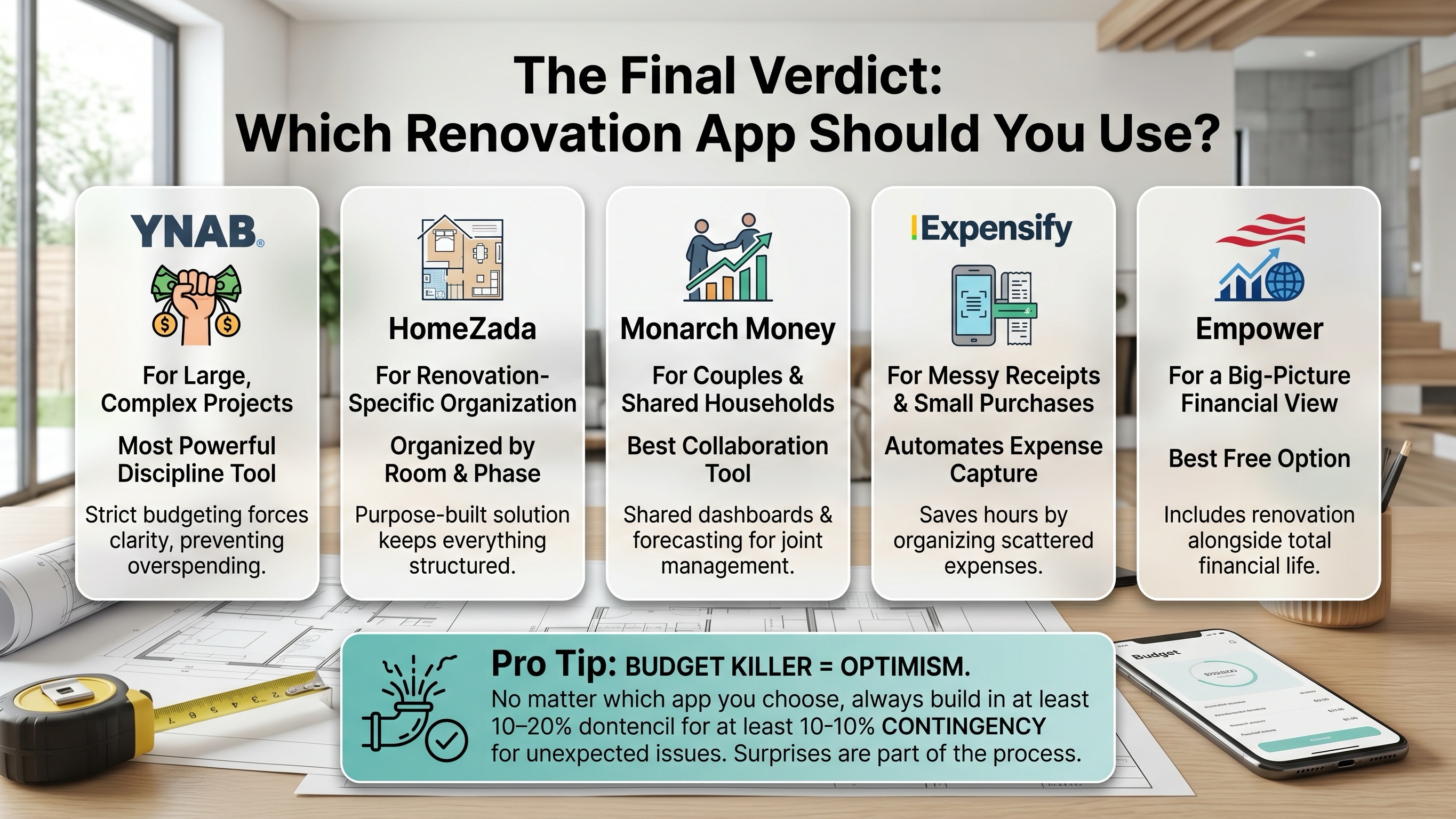
The Final Verdict: Which App Should You Use?
If your renovation is large, complex, and highly detailed, YNAB remains the most powerful discipline tool. Its strict budgeting system forces clarity, which is exactly what prevents overspending.
If you want a renovation-specific system that keeps everything organized by room and project phase, HomeZada is the most purpose-built solution available today.
For couples or shared households managing a renovation together, Monarch Money is the best collaboration tool thanks to its shared dashboards and forecasting features.
If your biggest problem is messy receipts and scattered small purchases, Expensify will save you hours of frustration by automating expense capture.
And if you want a big-picture financial view that includes your renovation alongside your entire financial life, Empower is the best free option.
Pro Tip
No matter which app you choose, the real budget killer isn’t bad tracking—it’s optimism. Always build in at least 10–20% contingency for unexpected issues. In renovation work, surprises aren’t the exception—they’re part of the process.